Administrator
CommunicationDaily parent digest
Configure the automated daily email that summarizes each child's day for parents.
Last updated Oct 1, 2026
Daily parent digest
The daily parent digest is an automated email sent to parents summarizing their child's day. It saves teachers time by compiling information that is already in the system.
Getting there
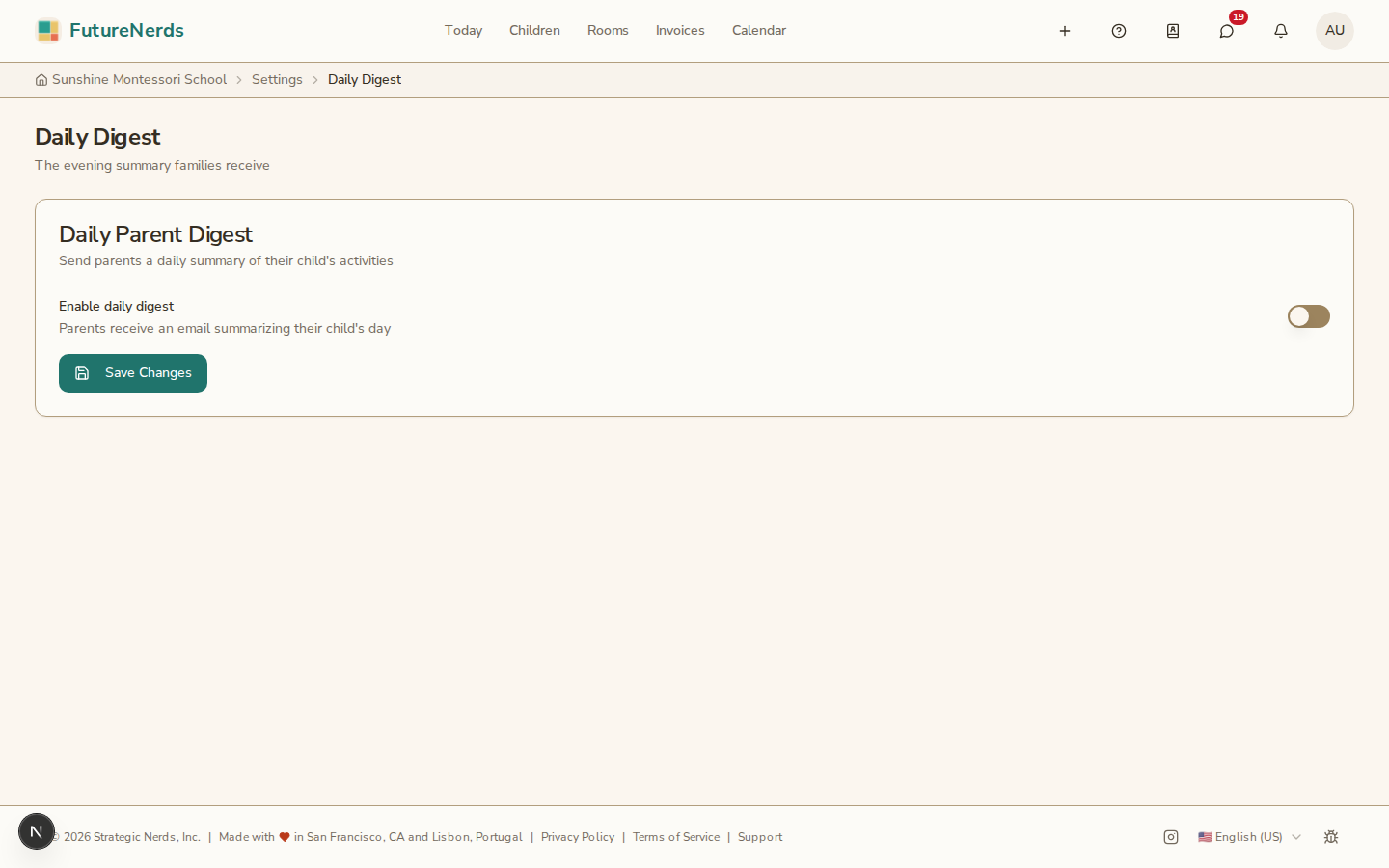
Open School Settings from your avatar menu, then open Daily Digest.
Turning it on
- Turn on Enable daily digest. The heading on the page is Daily Parent Digest.
- Set the delivery time -- the time each day when the email is sent (e.g., 5:00 PM).
- Click Save Changes.
What parents receive
The digest email includes:
- Check-in status -- whether the child was marked present, absent, or late.
- Daily classroom summary -- the narrative summary the teacher wrote for the classroom.
- Highlights -- any highlight tags the teacher added to the daily summary.
- Recent observations -- observations recorded that day and shared with parents.
Turning it off
Toggle the switch to off and save. Parents stop receiving the daily email immediately.
Tips
- Set the delivery time to after dismissal so the email captures the full day.
- Remind teachers to write their daily summary before the digest delivery time.
- Parents can also disable the digest from their own notification settings.
Was This Helpful?