Your curriculum framework
Choose your framework and build the curriculum areas and competencies teachers plan and assess against.
Last updated Oct 1, 2026
The curriculum framework
Your curriculum framework is the structure teachers plan lessons against and record mastery against. Open School Settings from your avatar menu, then open Curriculum. You set it up once, and everything teachers do with lessons and progress refers back to it.
Choosing a framework
On Curriculum, choose your framework: AMS or AMI. This sets the Montessori convention your curriculum follows.
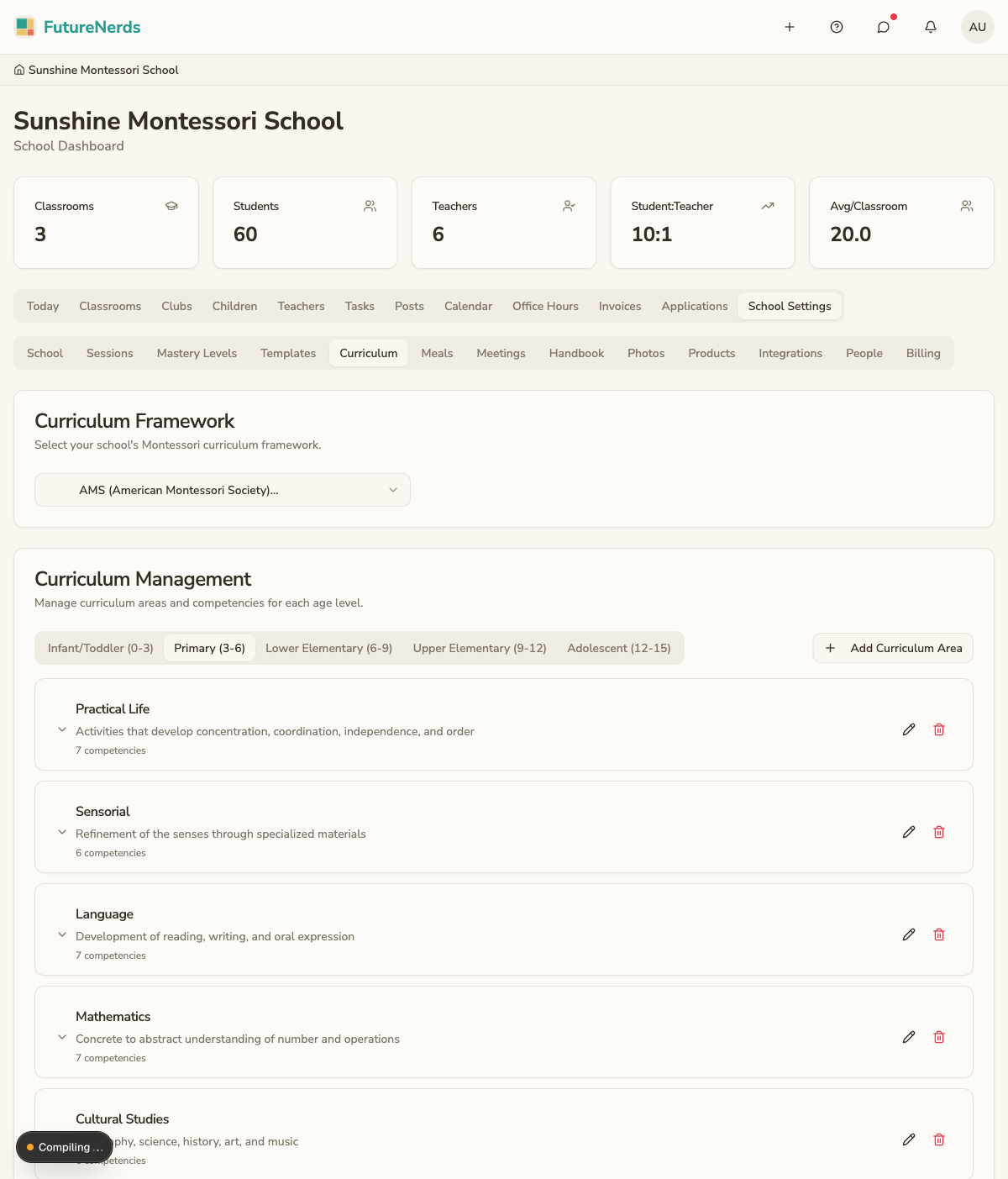
Curriculum areas
Curriculum areas are the top-level groupings of the Montessori curriculum:
- Practical Life
- Sensorial
- Language
- Mathematics
- Cultural Studies
Create the areas your school uses on Curriculum with Add Curriculum Area. Age bands sit as tabs: Infant/Toddler (0-3), Primary (3-6), Lower Elementary (6-9), Upper Elementary (9-12), Adolescent (12-15). These are the headings teachers see when they plan lessons and view the progress grid.
Competencies
Within each area you create competencies, the specific skills a child works toward. A competency belongs to one area and is scoped by age level, so a toddler-level competency is separate from an elementary-level one.
- Open a curriculum area.
- Add the competencies for that area.
- Set the age level each competency applies to.
How teachers use it
This framework is what teachers plan and assess against:
- Lesson plans are tied to a competency.
- The progress grid tracks each child's mastery of competencies, using the mastery levels you have set.
Tips
- Set up your areas and competencies before teachers begin planning lessons.
- Scope competencies by age level so the progress grid stays relevant per classroom.
- Add competencies as you grow rather than trying to capture everything at once.
Was This Helpful?