Montessori school tuition billing software
FutureNerds is Montessori school tuition billing software. Schools set tuition and fees, apply sibling discounts, annual discounts and scholarships, and send invoices that families pay by card through Stripe or by bank transfer with proof. It is free for your first 10 students.
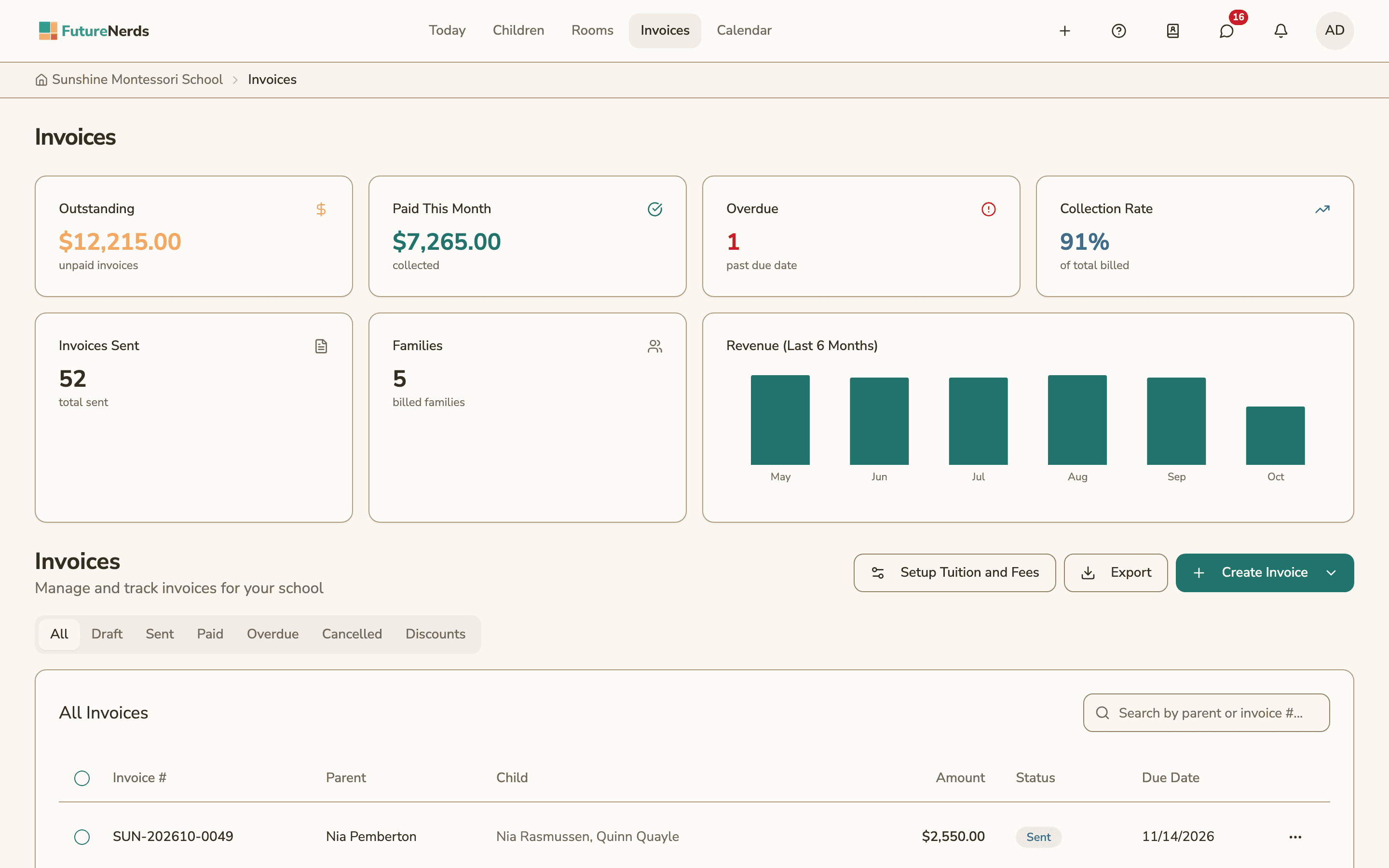
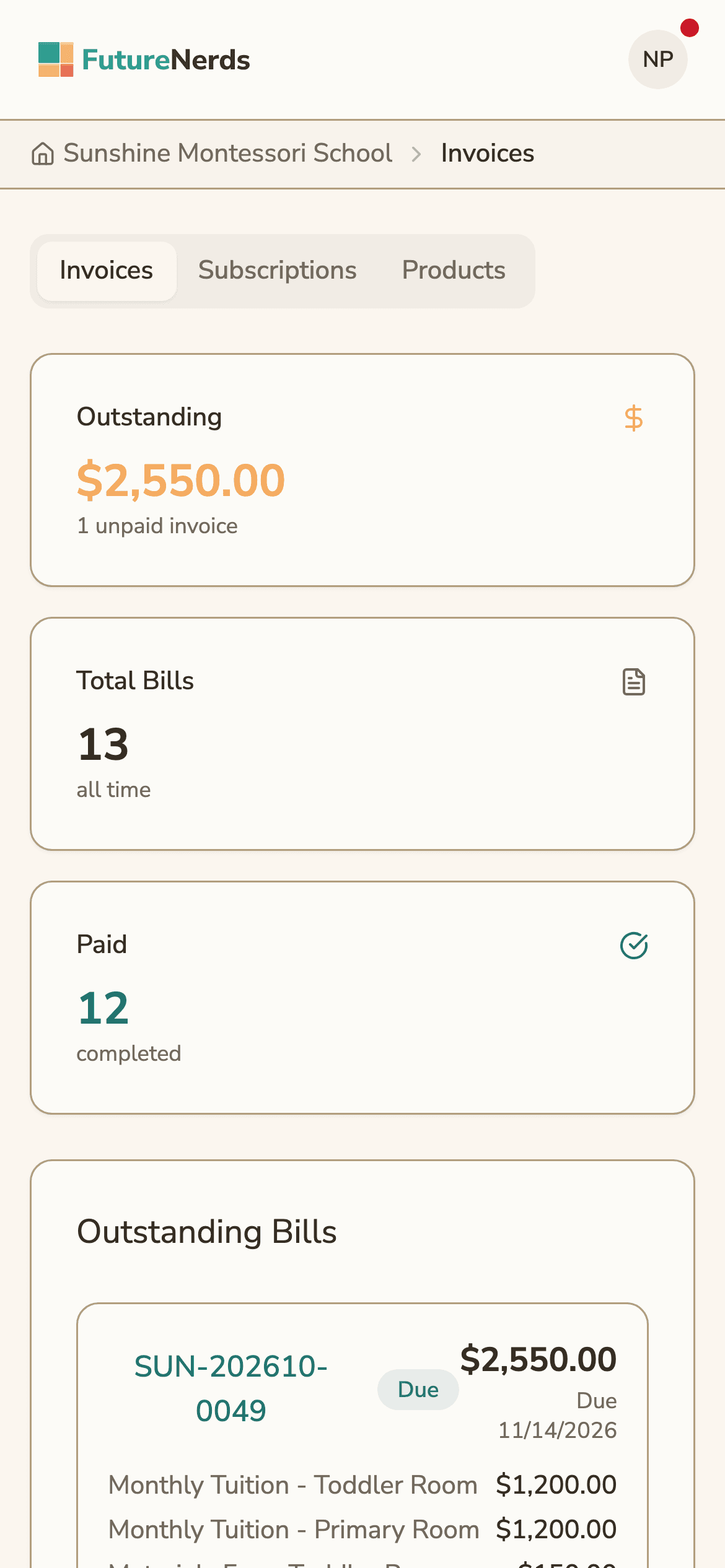
Your price list
A school sets up its charges once, under Setup Tuition and Fees. Each charge has a kind, a frequency and a trigger:
| Setting | Options |
|---|---|
| Kind | Tuition, fee, club fee, meal, field trip |
| Frequency | Weekly, monthly, quarterly, semesterly, annually, one time |
| Trigger | On enrollment, on a date, on application |
A charge can prorate the first period, so a child who starts mid-month pays only for the days enrolled.
Discounts, scholarships and fees
- Sibling discount. Tiers start at two children, with a percentage off tuition for each tier.
- Annual discount. Families who pay the year in full get a discount. They can take the offer from one month before the school year starts until ten days after it starts.
- Scholarships. Set per child.
- Application fee. Charged when a family applies. See admissions.
FutureNerds applies these in a fixed order: first-period proration, then scholarships, then the sibling tier. When a family signs an enrollment agreement, its terms are frozen.
Billing months follow your sessions
Each school session lists the calendar months it bills, for example September through June. A month outside that list is not charged, so a school with no session in July and August sends no tuition for those months.
Invoices and their statuses
Admins create, send, edit and cancel invoices, download PDFs and resend them. Each invoice has one status:
| Status | Meaning |
|---|---|
| Draft | Created, not sent yet |
| Sent | Sent to the family |
| Paid | Paid in full |
| Overdue | Past its due date |
| Cancelled | Cancelled by the school |
| Review Needed | A parent uploaded proof of a bank transfer |
When an invoice is overdue, FutureNerds sends reminders on days 1, 8 and 15 after the due date.
An admin can record a payment made outside the app, such as a check. To correct a sent invoice, an admin issues a credit note, which cancels the invoice. Admins can also issue refunds.
How families pay
Parents see Outstanding Bills, Payment History and Subscriptions in the app. They pay in one of two ways:
- By card through Stripe. The school connects a Stripe Express account first. Its status shows as not connected, onboarding, active, restricted or disabled.
- By bank transfer. The parent chooses "Transfer funds manually," sends the money, and uploads proof. The invoice moves to Review Needed. The admin confirms or rejects the proof, and each proof is marked pending, confirmed or rejected.
A school without Stripe can still send invoices and record payments by hand.
Automatic invoicing
Automatic invoicing is off by default. When a school turns it on, a daily job creates draft invoices from the price list. An admin reviews each draft and sends it.
Exports and reports
Admins export invoices and payments as a CSV file in QuickBooks format. A reports page summarizes billing. The Invoices page shows what is outstanding, what was paid this month, how many invoices are overdue, the collection rate, and revenue for the last 6 months.
Billing works on the web, and admins can create invoices in the FutureNerds apps for iPhone and Android as well.
How to set up tuition billing in FutureNerds
- Connect your Stripe account from settings if you want families to pay by card.
- Set up your school sessions and the months each one bills.
- Open Invoices and choose Setup Tuition and Fees.
- Add each charge with its kind, frequency and trigger.
- Add a sibling discount, an annual discount and any scholarships.
- Create an invoice, check it as a draft, and send it.
- Watch the Sent, Paid and Overdue tabs, and review bank transfer proofs under Review Needed.
What it costs
FutureNerds is free for your first 10 students. After that, it costs $0.50 per child per month, with no setup fee. When families pay through FutureNerds, standard Stripe fees plus 1% apply to each payment. See pricing.
Questions and answers
Can parents pay tuition online with FutureNerds?
Yes. Parents pay by card through Stripe once the school connects a Stripe account. They can also pay by bank transfer and upload proof in the app.
Does FutureNerds handle sibling discounts?
Yes. Sibling discount tiers start at two children and take a percentage off tuition. Scholarships and an annual pay-in-full discount are also available.
What does FutureNerds charge on payments?
Standard Stripe fees plus 1% on payments families make through FutureNerds.
Does FutureNerds work with QuickBooks?
FutureNerds exports invoices and payments as a CSV file in QuickBooks format, which you import into QuickBooks.
Does FutureNerds send overdue reminders?
Yes. FutureNerds sends reminders on days 1, 8 and 15 after an invoice's due date.
Does FutureNerds send invoices automatically?
Only if you turn on automatic invoicing, which is off by default. It creates draft invoices that an admin reviews and sends.
Less paperwork. More presence.
Free for your first 10 students. No credit card required.