Montessori school admissions software with online applications and a waitlist
FutureNerds is Montessori school admissions software. You build an online application form, share one link, and families apply without making an account. You review each application, then ask for a visit, waitlist, approve or reject. Families get an email for each decision. It is free for your first 10 students.
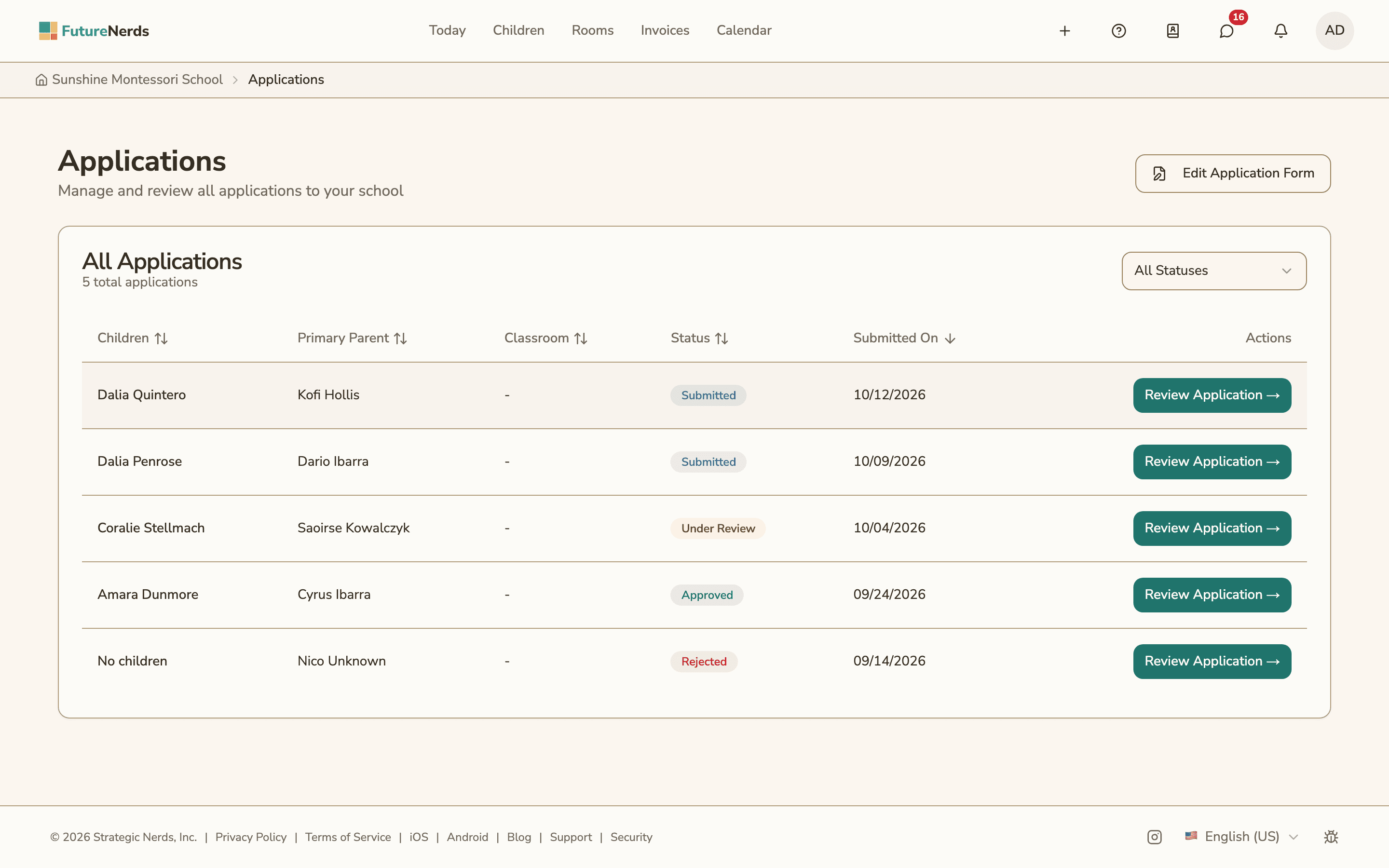
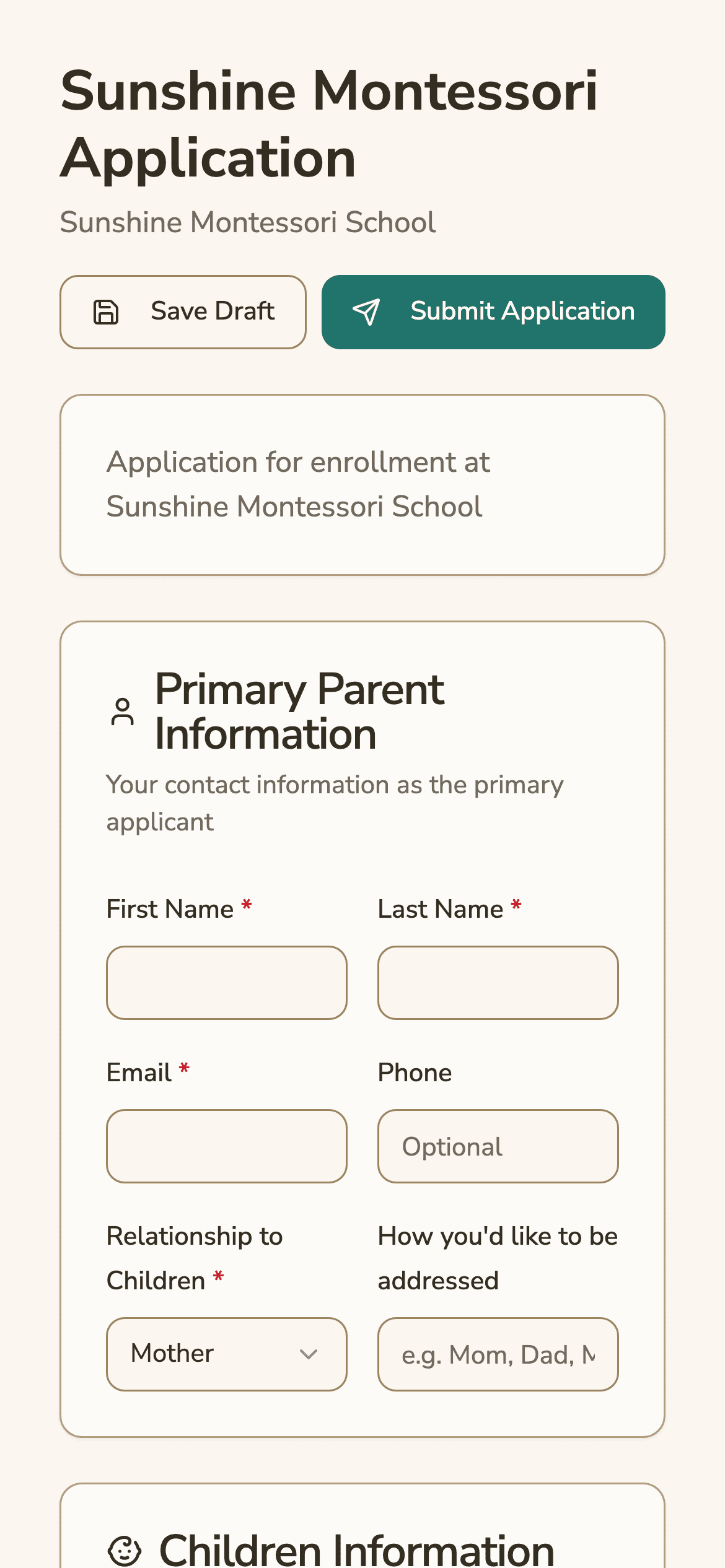
Build your application form
The form builder is on the web. A school admin sets:
- the form title, welcome message and thank-you message
- the programs families can apply to
- the standard fields for the child and the parents
- questions from a starter library, grouped into child, parent and educational questions
- custom questions, each of which can be required
Drag questions to change their order. Save a draft while you work, then choose Save & Publish.
Custom questions use one of 9 types:
| Question type | What the family enters |
|---|---|
| Text | A short answer |
| Long text | A paragraph |
| Yes or no | Yes or no |
| Checkbox | A tick to agree or confirm |
| Single select | One choice from a list |
| Multi select | Several choices from a list |
| Date | A date |
| Number | A number |
| File upload | A document, such as immunization records |
How families apply
Each school gets a public application link at /apply followed by the school's ID. Families open it in any browser.
- No account is needed to apply.
- A family can save a draft and come back to it.
- Families can upload documents with the application.
- After submitting, the family confirms their email address from a link. The school sees the application once it is confirmed.
- If the school charges an application fee, the family pays it by card through Stripe.
Application statuses
Every application has one status:
| Status | Meaning |
|---|---|
| Draft | Started, not submitted |
| Pending verification | Submitted, waiting for the family to confirm their email |
| Submitted | Ready for the school to review |
| Under review | The school is reviewing it |
| Visit requested | The school asked the family to book a visit |
| Visit scheduled | The family booked a visit |
| Waitlisted | Placed on the waitlist |
| Approved | Accepted |
| Rejected | Declined |
| Withdrawn | The family withdrew it |
A waitlisted application can be approved or rejected later. Families get an email for each decision.
School visits through Cal.com
A school can connect its Cal.com booking page. When the school chooses "Ask to Schedule School Visit," the family gets the link and books a time. If the school also sets up the optional Cal.com webhook, the application moves to Visit scheduled by itself when the family books.
From applicant to enrolled child
Each child on a submitted application gets an enrollment record with its own status:
| Enrollment status | When it is set |
|---|---|
| Applied | The application is submitted |
| Approved | The school approves the application |
| Active | The child is placed in a classroom |
| Inactive | The child graduates or leaves |
| Rejected | The school rejects the application |
Admins can review applications on the web and in the FutureNerds apps for iPhone and Android.
How to set up online applications in FutureNerds
- Open Applications and choose Edit Application Form.
- Write the form title, welcome message and thank-you message.
- Add your programs, pick starter questions, and add custom questions.
- Drag the questions into order and mark the ones that are required.
- Set an application fee in your price list if you charge one.
- Choose Save & Publish, then copy the public application link to your website.
- As applications arrive, open each one and approve, waitlist, reject, or ask to schedule a school visit.
What it costs
FutureNerds is free for your first 10 students. After that, it costs $0.50 per child per month, with no setup fee. If you charge an application fee through FutureNerds, standard Stripe fees plus 1% apply to each payment. See pricing.
Questions and answers
Do families need an account to apply?
No. Families apply through the school's FutureNerds application link without an account. They confirm their email address after submitting.
Can FutureNerds charge an application fee?
Yes. A school can set an application fee, and families pay it by card through Stripe when they apply.
Does FutureNerds have a waitlist?
Yes. A school can waitlist an application and approve or reject it later.
Can families book a school tour online?
Yes. Connect Cal.com to FutureNerds and choose "Ask to Schedule School Visit." The family books a time from the link.
What question types can I add to the application form?
FutureNerds has 9: text, long text, yes or no, checkbox, single select, multi select, date, number and file upload.
Less paperwork. More presence.
Free for your first 10 students. No credit card required.