Administrator
OperationsTasks and to-dos
Track school to-dos for yourself and your staff with tasks you can create, edit, and complete.
Last updated Oct 1, 2026
Tasks
Tasks are a running list of to-dos for your school. Use them to track the work that keeps the school running, for yourself and for your staff, in one place instead of scattered notes.
Getting there
On Today, under Manage, open Tasks.
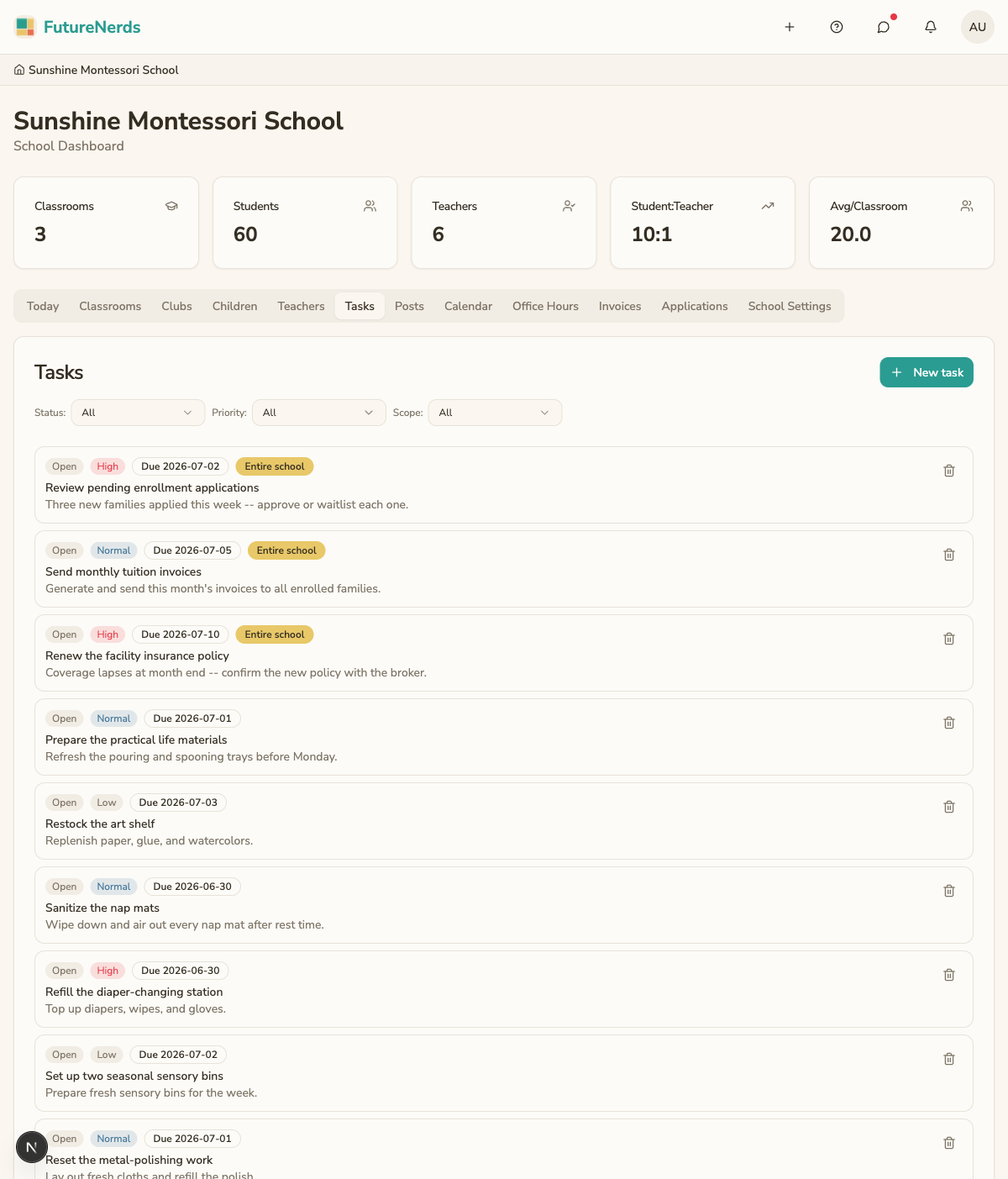
Creating a task
- Click New task.
- Enter a title describing what needs to be done.
- Set Normal priority if you leave the default, pick a Due date, and choose the scope (for example Entire school).
- Click Create task. The task appears on the list.
Working through tasks
- Complete a task by marking it done when the work is finished. Completed tasks move out of your active list.
- Edit a task to change its title or details.
- Delete a task you no longer need.
Tasks versus calendar events
Use tasks for to-dos that need doing but are not tied to a specific time. Use calendar entries for dated events that families and staff should see on the school calendar.
Tips
- Keep task titles short and action-oriented so the next step is obvious.
- Mark tasks complete as you finish them so the list reflects what is left.
- Review the task list at the start of the week to plan ahead.
Was This Helpful?