Using Quick Record to capture learning
Record observations, track progress, and log daily habits without leaving the classroom view.
Last updated Oct 1, 2026
The Quick Record button
The Quick Record button is the round button fixed to the bottom-right corner of the screen. It appears on every classroom page. Tap it to open a dialog where you can record three types of information at once, without navigating away from what you are doing.
How it works
The dialog has two panels:
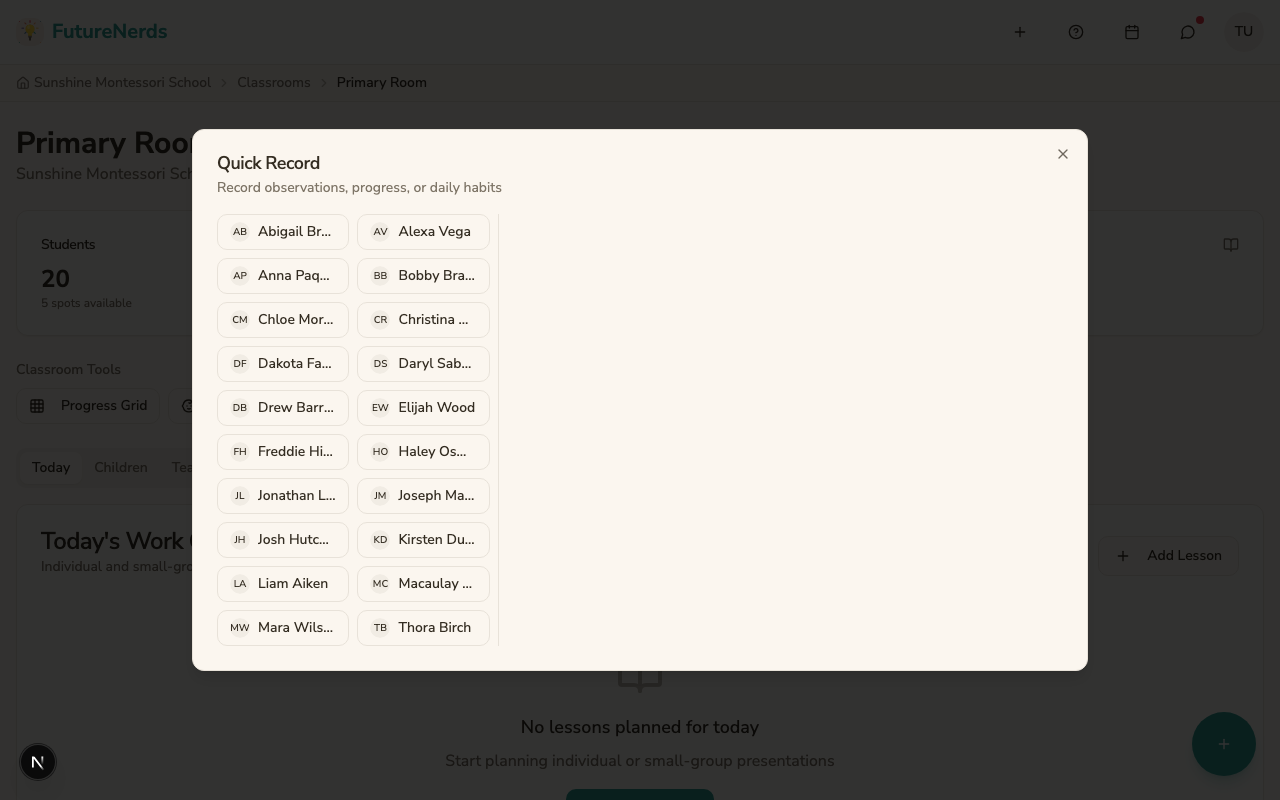
Left panel -- child selector. A grid of all children in your classroom, shown as small pills with their name and photo. Tap a child to select them. You must select a child before recording anything.
Right panel -- three recording sections. Fill in one, two, or all three:
Track progress
Select a competency from your classroom's curriculum, then choose the child's mastery level:
- Not Yet Presented -- the child has not been shown this lesson.
- Presented -- you have given the lesson presentation.
- Practicing -- the child is working on the skill independently.
- Mastered -- the child consistently demonstrates the skill without help.
This creates a milestone record linked to the child and the competency.
Observation
Write a free-text note about what you saw the child doing. Toggle Share with parents if you want the observation to appear on the parent's Learning tab. By default, observations are staff-only.
Track daily habits
Select an entry type (nap, meal, diaper, activity, mood), set start and end times, and add details. This is especially useful for toddler and infant programs where parents want to know about feeding, sleeping, and diaper changes.
Submitting
Click Record Information to save. The system submits all filled sections at once. A confirmation message appears, and the form resets so you can record the next child.
Tips
- Build the habit of tapping Quick Record right after you observe something. The details are freshest in the moment.
- You do not need to fill all three sections every time. Recording a single observation is fine.
- Quick Record is the fastest way to build a complete picture of each child's day.
Was This Helpful?