Recording attendance and starting the day
Take attendance, check your roster, and prepare for the work cycle.
Last updated Oct 1, 2026
Morning attendance
Start each day by recording who is present. Check-in lives on Today. Parents see the same status on each child's Today card.
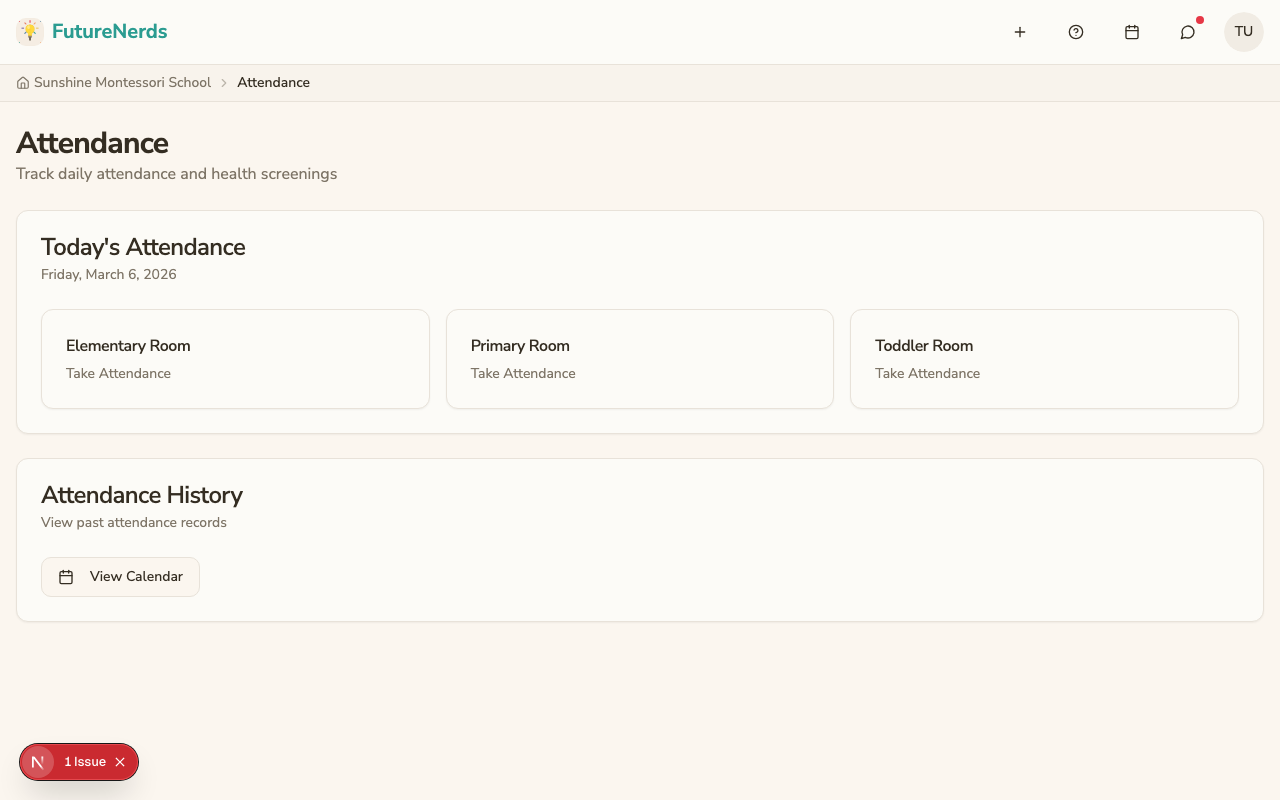
Taking attendance on Today
- Open Today in the top bar. Your top bar is Today, Children, Rooms, and Calendar.
- My Classroom Today shows Present, Absent, Tardy, Scheduled, Not Checked In, Today's Rate, and the last 14 days.
- Use Check In, Check Out, and Attendance in the right column. A Needs You item also appears when attendance is not in.
You can still open the Attendance page from that Attendance control. That page lists each room with Take Attendance, plus Attendance History and View Calendar.
Statuses
- Present -- the child is here.
- Absent -- the child did not come today.
- Tardy -- the child arrived late.
- Scheduled -- the child is absent with prior notice.
Today updates as you mark children. Administrators see the school counts without refreshing.
Checking your roster
Open your classroom and click the People tab to see everyone assigned to your room. Each entry shows:
- Name and photo.
- Age (calculated from date of birth).
- Enrollment status (Active, Approved, or Inactive).
If a child is missing from your roster, ask your administrator to check their enrollment.
Absences reported by parents
Parents can report absences from their child's School Day tab. When a parent reports an absence, you see it reflected in your attendance view with the reason (illness, family, or vacation) and any message the parent included.
Editing attendance later
Made a mistake? Open the attendance view for today and change any status. Save again. Changes are reflected immediately.
Viewing attendance history
Click Attendance history to see:
- A calendar view with daily summaries.
- Each child's attendance rate over time.
- Patterns (for example, a child who is frequently absent on Mondays).
What parents see
Parents see their child's attendance history on the child's School Day tab: the date, status, and any notes you add.
Tips
- Take attendance at the same time each morning to build a routine.
- Add notes for absences when parents call in the reason.
- Review attendance patterns monthly and flag concerns to your administrator.
Was This Helpful?