Teacher
End of day and weekly reviewWriting the daily summary
Capture the highlights and reflections from the day for your classroom.
Last updated Oct 1, 2026
End-of-day summary
The daily summary is a short narrative about what happened in your classroom today. It helps you reflect on the day and gives administrators a window into classroom life. If the daily parent digest is enabled, your summary is included in the automated email parents receive.
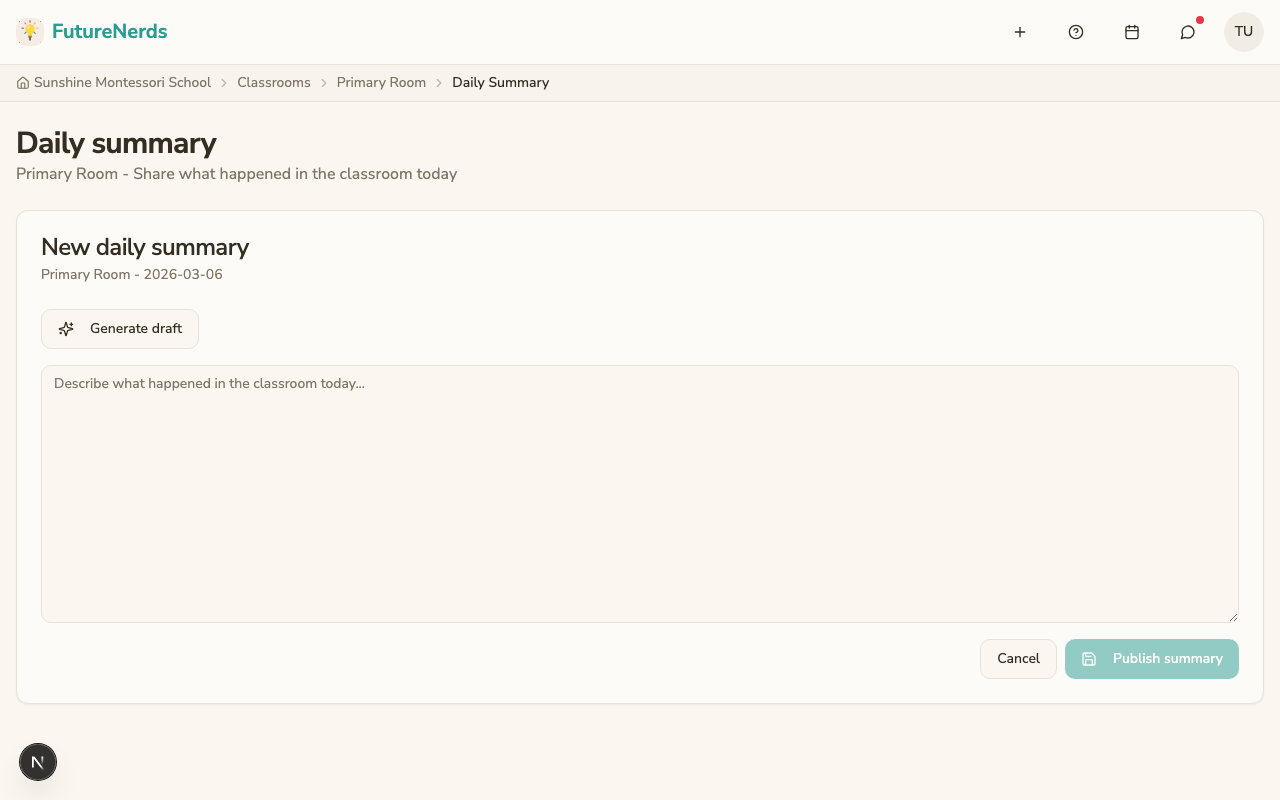
Writing a summary
- Open your classroom and click Daily Summary under Classroom Tools.
- The page is titled Daily summary, with New daily summary when today has none.
- Write the narrative, or click Generate draft and edit it.
- Click Publish summary. Cancel discards the draft.
One per day
Each classroom gets one summary per day. You can come back and edit it throughout the day or write it all at once at dismissal.
What parents see
If your administrator has enabled the daily parent digest, parents receive your summary in an automated email at the configured delivery time. Parents also see recent summaries on the child's School Day tab.
Tips
- Keep it brief. Three to five sentences is enough for most days.
- Mention specific children and specific materials when something stands out.
- Write the summary before the daily parent digest delivery time so it is included in the email.
- Use the summary as a planning tool: note what you want to follow up on tomorrow.
Was This Helpful?