Tracking daily habits and routines
Log feeding, naps, diaper changes, and other daily activities for younger children.
Last updated Oct 1, 2026
Daily habit tracking
Daily tracking is designed for toddler and infant programs where parents want detailed information about their child's day: what they ate, when they napped, diaper changes, and activities.
Two ways to record
-
Quick Record -- tap the floating button, select a child, and fill in the Track Daily Habits section. Set the entry type, times, and details.
-
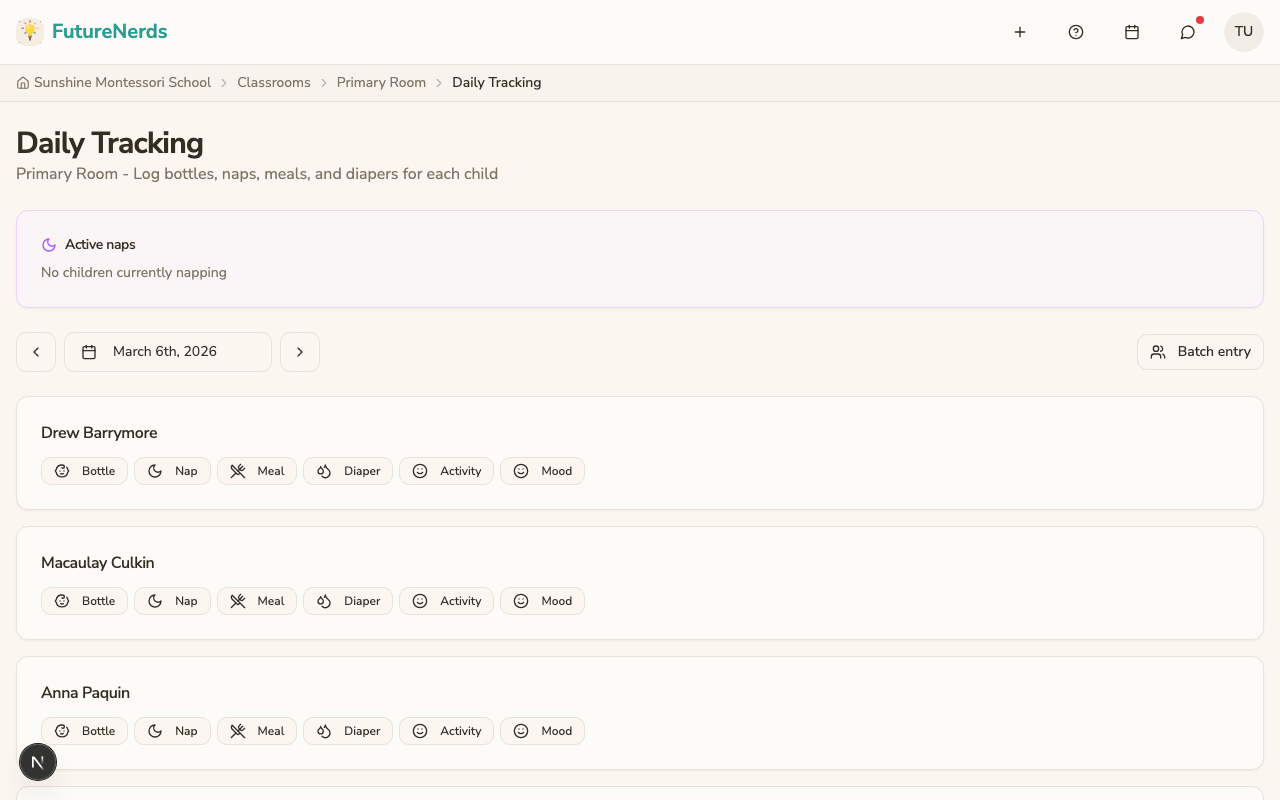
Daily Tracking page -- open your classroom and click Daily Tracking under Classroom Tools. This shows a full-page view of all children with their entries for the day.
Entry types
| Type | What to record |
|---|---|
| Nap | Start and end time |
| Meal | Meal type (breakfast, morning snack, lunch, afternoon snack), amount eaten (all, most, some, none), items served |
| Diaper | Type (wet, soiled, both, dry), whether cream was applied |
| Activity | Activity name, duration in minutes |
| Mood | Choose from: happy, calm, fussy, upset, or sleepy, plus notes |
What parents see
Parents see daily tracking in the daily digest email, when your school sends one. Record entries from Classroom Tools → Daily Tracking.
Tips
- Record entries as they happen rather than trying to remember everything at the end of the day.
- Use Quick Record for one-off entries during the day. Use the Daily Tracking page for a batch review at the end of the day.
- Not every program needs daily tracking. It is most valuable for children under 3.
Was This Helpful?