Parent
School lifeViewing invoices and making payments
See your invoices and pay by card or bank transfer.
Last updated Oct 1, 2026
Billing and payments
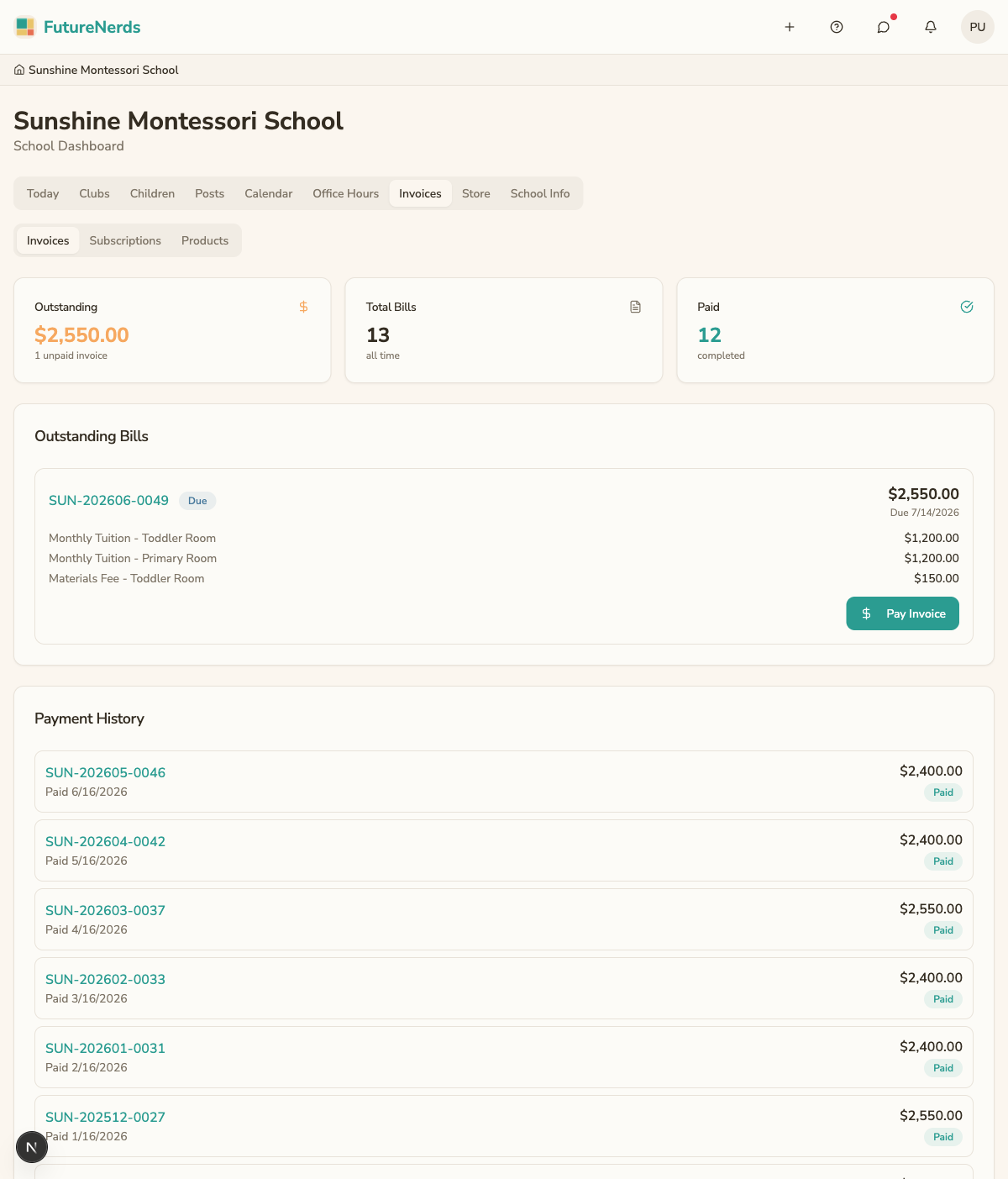
Open Billing from your avatar menu. The tabs are Invoices, Subscriptions, and Products.
Invoices
Outstanding Bills lists what you owe. Payment History lists each paid invoice with its number, the paid date, the line items, and the amount.
Paying an invoice
- Open the invoice and review the line items.
- Click Pay Invoice.
- Choose Pay with Card, or Transfer funds manually and upload proof of the transfer.
Click How to Pay to read the school's payment instructions.
When your school offers to bill the year at once, the offer appears as a card on Invoices.
Subscriptions
My subscriptions lists recurring charges such as tuition. My clubs lists your children's clubs, with Withdraw. To join a club, use Rooms.
Products
Products is your order history from the school store.
For a question about a charge, contact the school office.
Was This Helpful?