Parent
School lifeEmergency contacts and authorized pickups
Add and manage guardians, emergency contacts, and people allowed to pick up your child.
Last updated Oct 1, 2026
Contacts and guardians
- Open your child's profile.
- Open Family. The first card is Contacts and Safety. The second is Guardians.
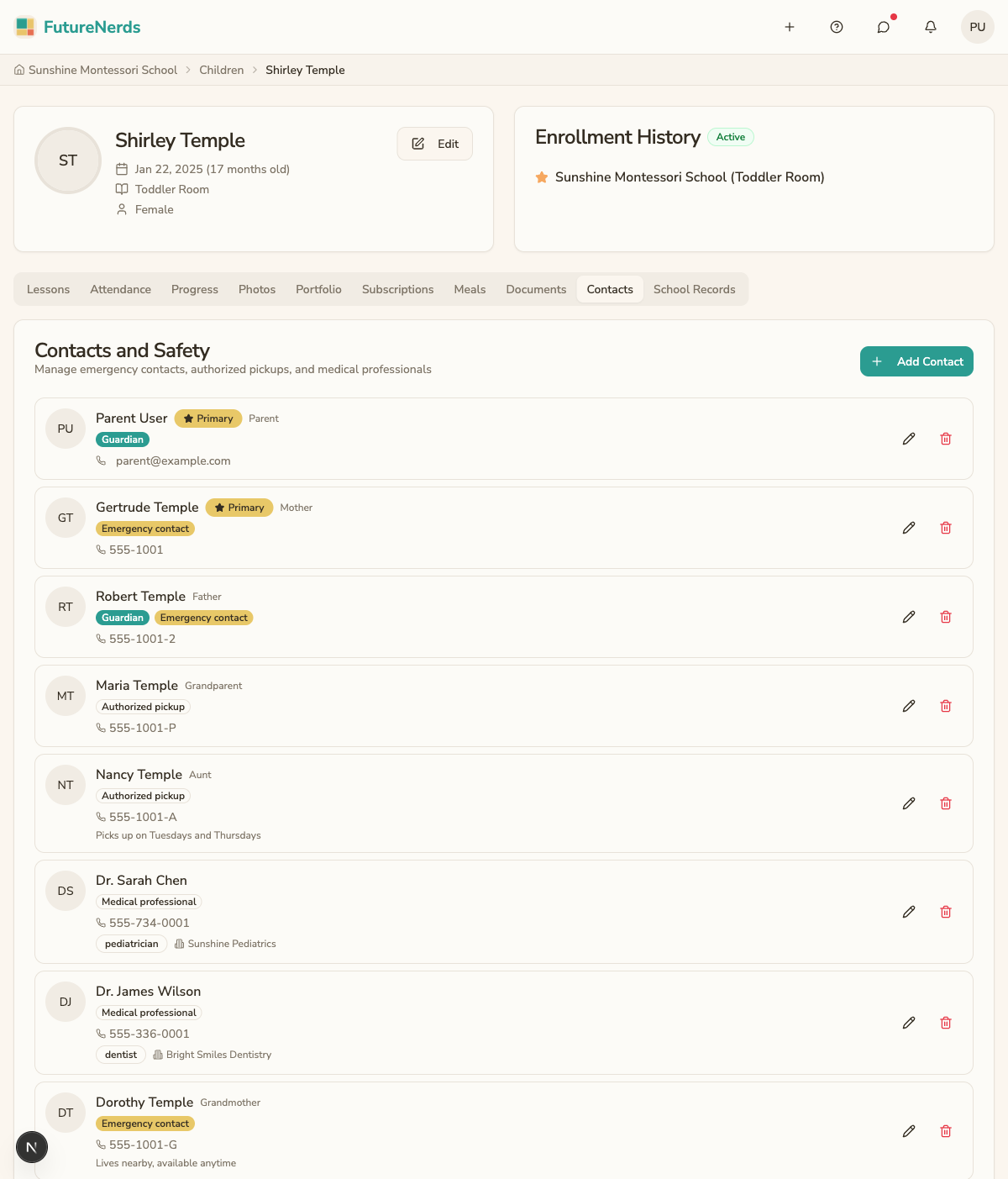
Adding a contact
- Click Add Contact on Contacts and Safety. Use Add Guardian on Guardians for a parent or guardian.
- Fill in:
- Upload Photo -- optional.
- First Name and Last Name.
- Email (optional) -- required when the contact is a guardian.
- Phone Number.
- Relationship.
- Roles -- at least one of Guardian, Emergency contact, Authorized pickup, or Medical professional.
- Notes (optional).
- Click Add Contact.
Editing and removing contacts
- Click the pencil icon on a contact to edit it.
- Click the trash icon, then Delete, to remove it.
The school lets only people with the Authorized pickup role collect your child. Keep at least two emergency contacts on file.
Was This Helpful?