Parent
Your childReporting an absence
Tell the school your child will be absent, and cancel an absence you reported.
Last updated Oct 1, 2026
Reporting an absence
How to report
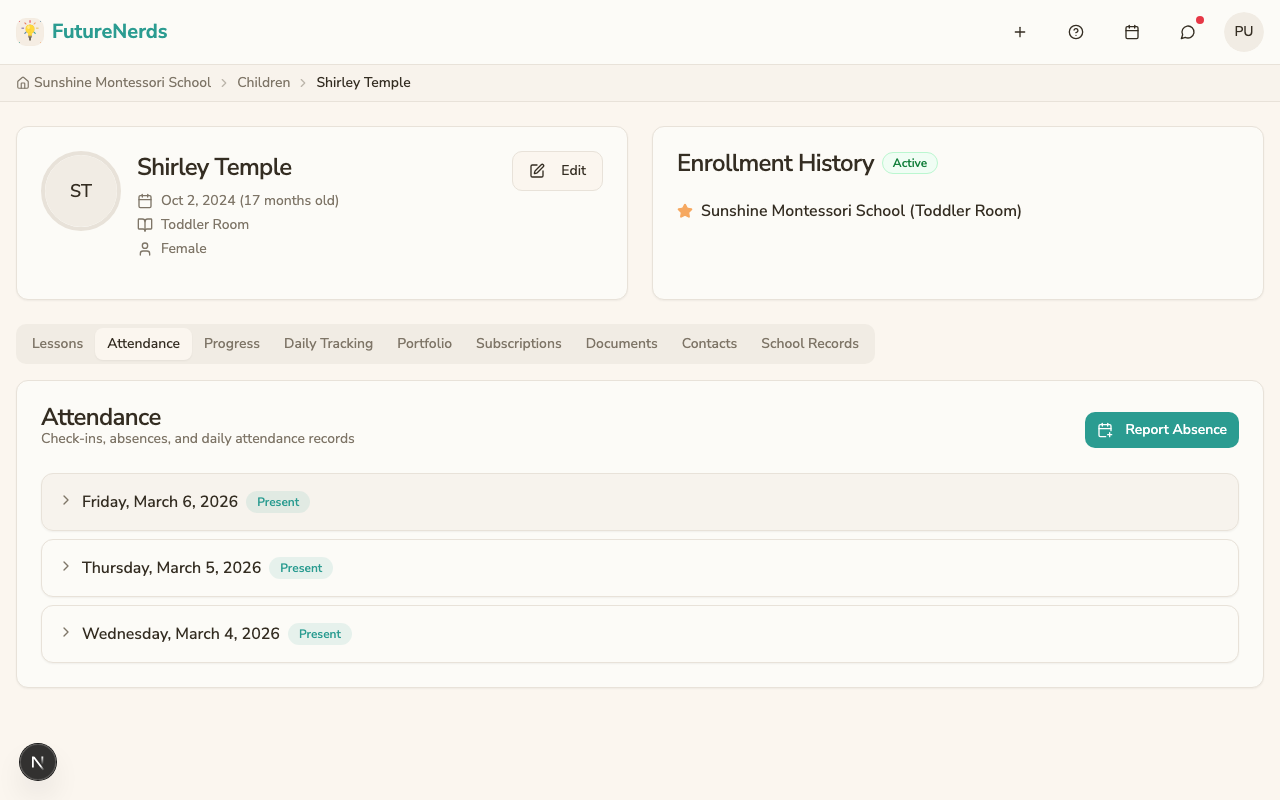
- Open your child's profile. You land on School Day. You can also click Report absence on the child's card on Today.
- Find Attendance and click Report Absence.
- Fill in:
- Date -- the first day of the absence. It defaults to today.
- Multiple days -- check it for a longer absence, then set the End date.
- Reason -- Illness, Personal reason, Medical appointment, or Vacation.
- Message (optional) -- teachers and administrators get an email when you write one.
- Report absence to the following clubs -- appears when a club meets on one of those days. Check it to tell the club too.
- Click Report Absence.
The teacher sees the absence, the reason, and your message for each day.
Cancelling an absence
An absence on a future date shows a Future badge in Attendance. Click Cancel absence on that row to remove it.
Was This Helpful?