Parent
CommunicationScheduling parent-teacher meetings
Book and cancel time with your child's teacher.
Last updated Oct 1, 2026
Bookings
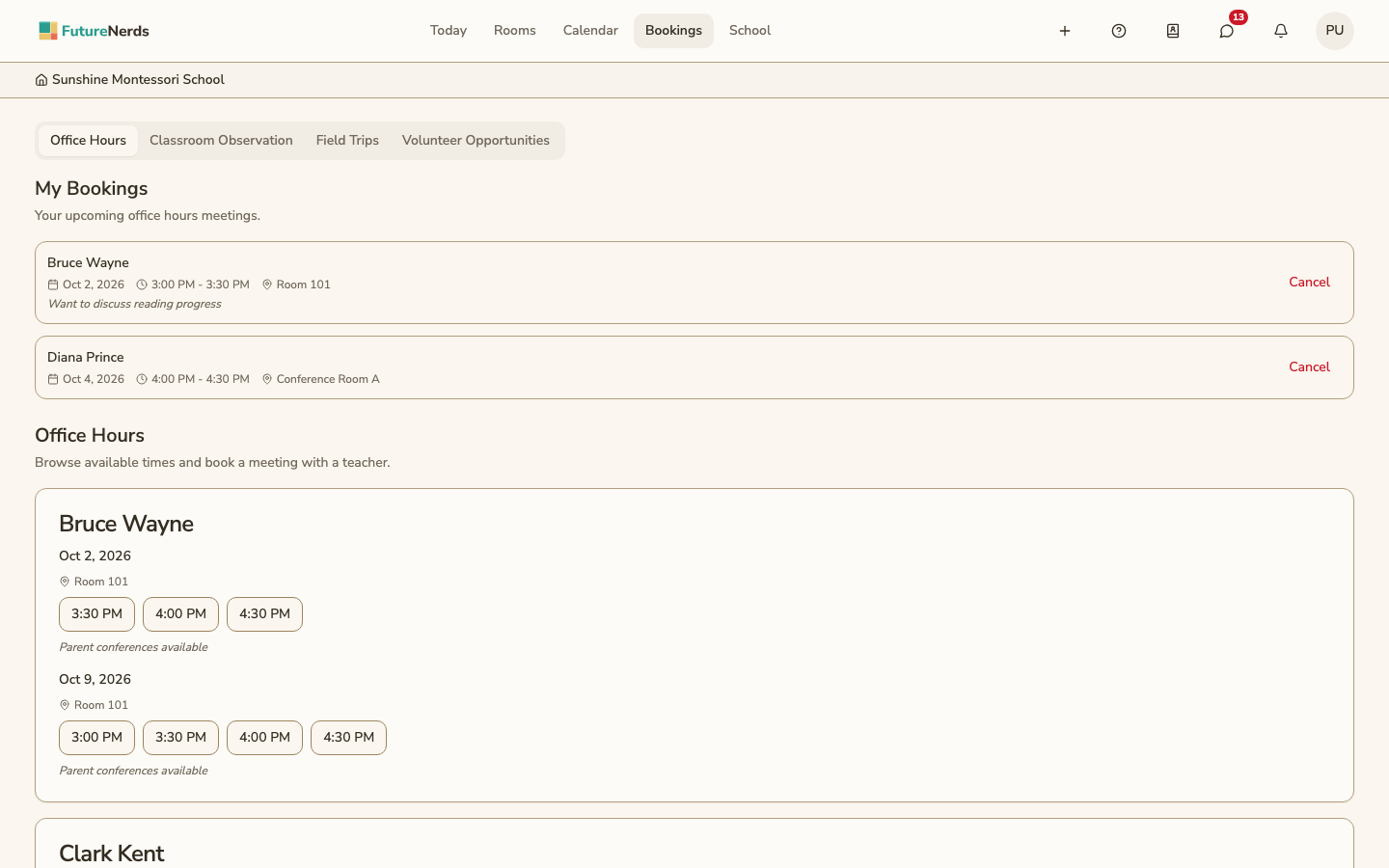
Bookings in the top bar has four tabs: Office Hours, Classroom Observation, Field Trips, and Volunteer Opportunities.
Booking office hours
- Open Bookings. You land on Office Hours. You can also click Schedule office hours next to a teacher on Rooms to see only that teacher's times.
- Under Office Hours, find the teacher and day.
- Click a time, such as 3:00 PM.
- In Book Office Hours, fill in Reason for Meeting if you want.
- Click Confirm Booking.
Cancelling a booking
Your bookings are listed under My Bookings at the top of Office Hours. Click Cancel on the booking. The teacher is notified.
The other tabs
- Classroom Observation -- times you can sit in the classroom.
- Field Trips -- trips that need a sign-up.
- Volunteer Opportunities -- volunteer slots the school needs filled.
If no time works, message the teacher.
Was This Helpful?