Teacher
Classroom workspaceTasks and to-dos
Create and complete tasks to track classroom and school to-dos.
Last updated Oct 1, 2026
Tasks
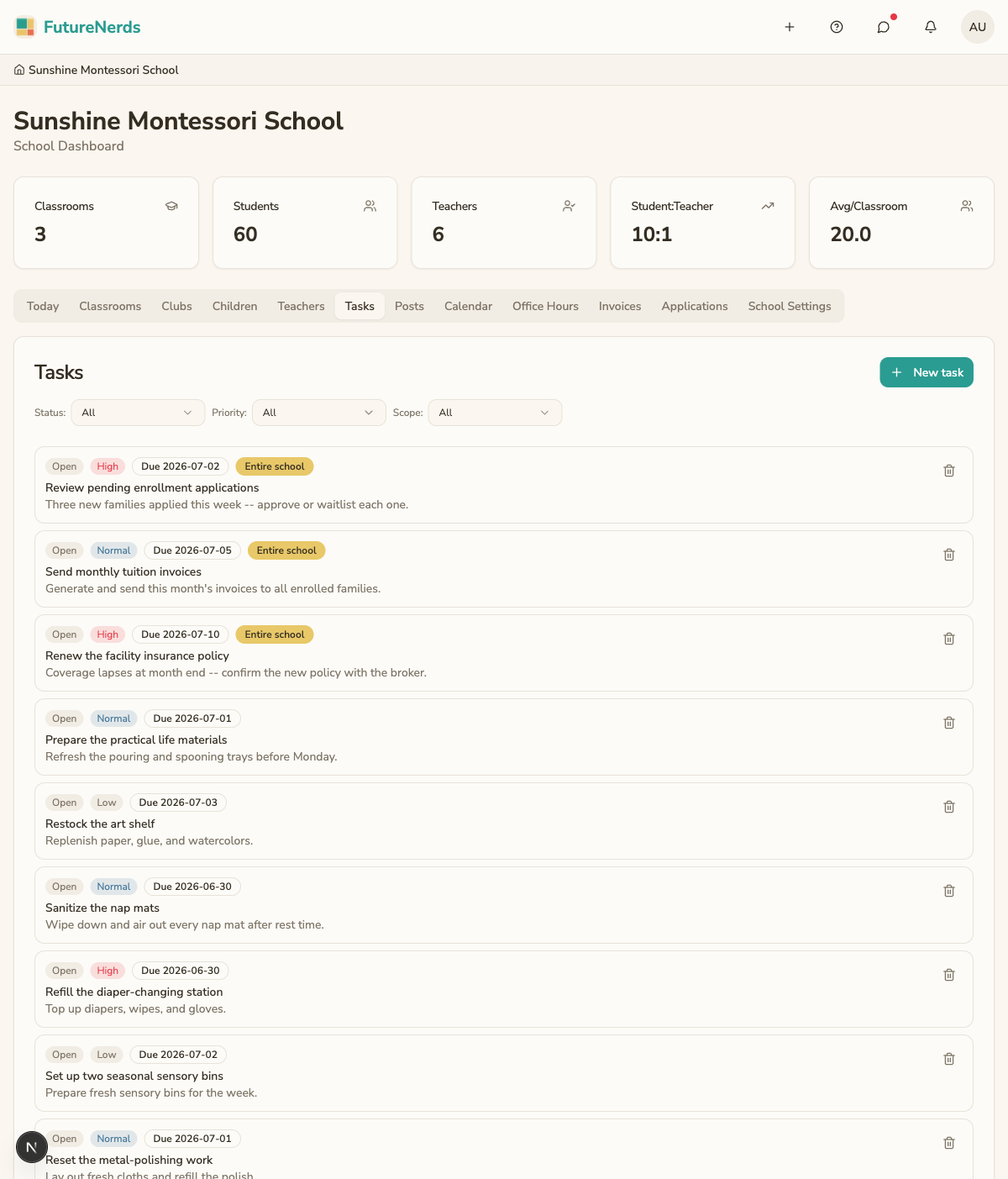
Tasks are a to-do list for staff. Use them to track the things you need to do for your classroom and your school, from preparing materials to following up with a family.
Getting there
On Today, under Manage, open Tasks. A Needs You item can open the same page. Filter by Status, Priority, and Scope. Open, in-progress, and done tasks stay on one list.
Creating a task
- On Tasks, click New task.
- Type what needs to happen (for example, "Prep sandpaper letters" or "Call the Patel family about pickup").
- Click Create task.
The task appears in your open list.
Completing a task
Check off a task to mark it done. It moves out of the open list so what remains is what still needs your attention. Completed tasks stay on file rather than disappearing.
Tasks vs. checklists
Tasks and checklists are different tools:
- Tasks are your own staff to-dos. Parents do not see them.
- Checklists assign items to families, like returning a permission slip. See the office hours and checklists guide.
Tips
- Add a task the moment you think of something rather than trusting your memory.
- Clear completed tasks as you go so the open list reflects real work left.
- Keep task text short and specific so it is clear at a glance.
Was This Helpful?