Keeping the daily journal
Log timed moments through the day, edit them, move between days, and choose what families see.
Last updated Oct 1, 2026
The daily journal
The daily journal is the hour-by-hour plan on Today (the school destination, not the classroom tab). It is the day's grid: huddles, planning, and timed moments. The daily summary is a separate narrative you write from Classroom Tools.
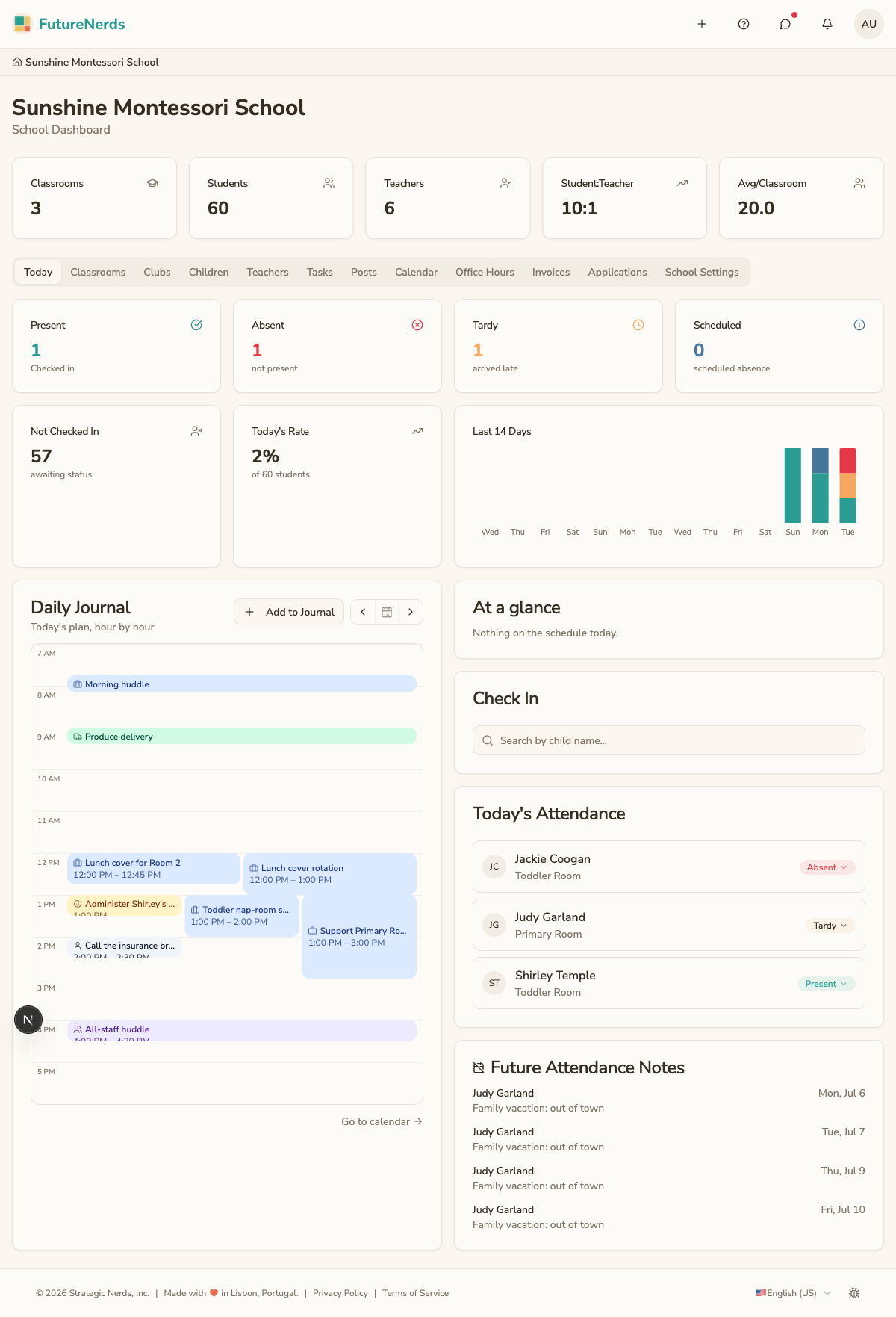
Adding an entry
- Open Today in the top bar.
- Find Daily Journal.
- Click Add to Journal.
- Write what happened and set the time. It defaults to now.
- Save. The entry lands on the grid at that hour.
Naps, meals, and diapers are not journal entries. Log those from Classroom Tools → Daily Tracking.
Editing or deleting an entry
Click an existing entry to change its text or time. Delete only when you are sure; there is no undo.
Moving between days
Use the previous / today / next controls beside Add to Journal to step to another day.
Choosing what families see
Each entry can be shared or kept as a staff note. Shared entries can appear on the parent's view of the day. Decide per entry.
Tips
- Log moments as they happen so the time is right.
- Use the journal for the day's grid and the daily summary for the wrap-up.
- Keep shared entries warm and specific.
Was This Helpful?