Parent
School lifeMeals and the menu
Sign your child up for meals, skip weeks, and see the menu.
Last updated Oct 1, 2026
Meals and the menu
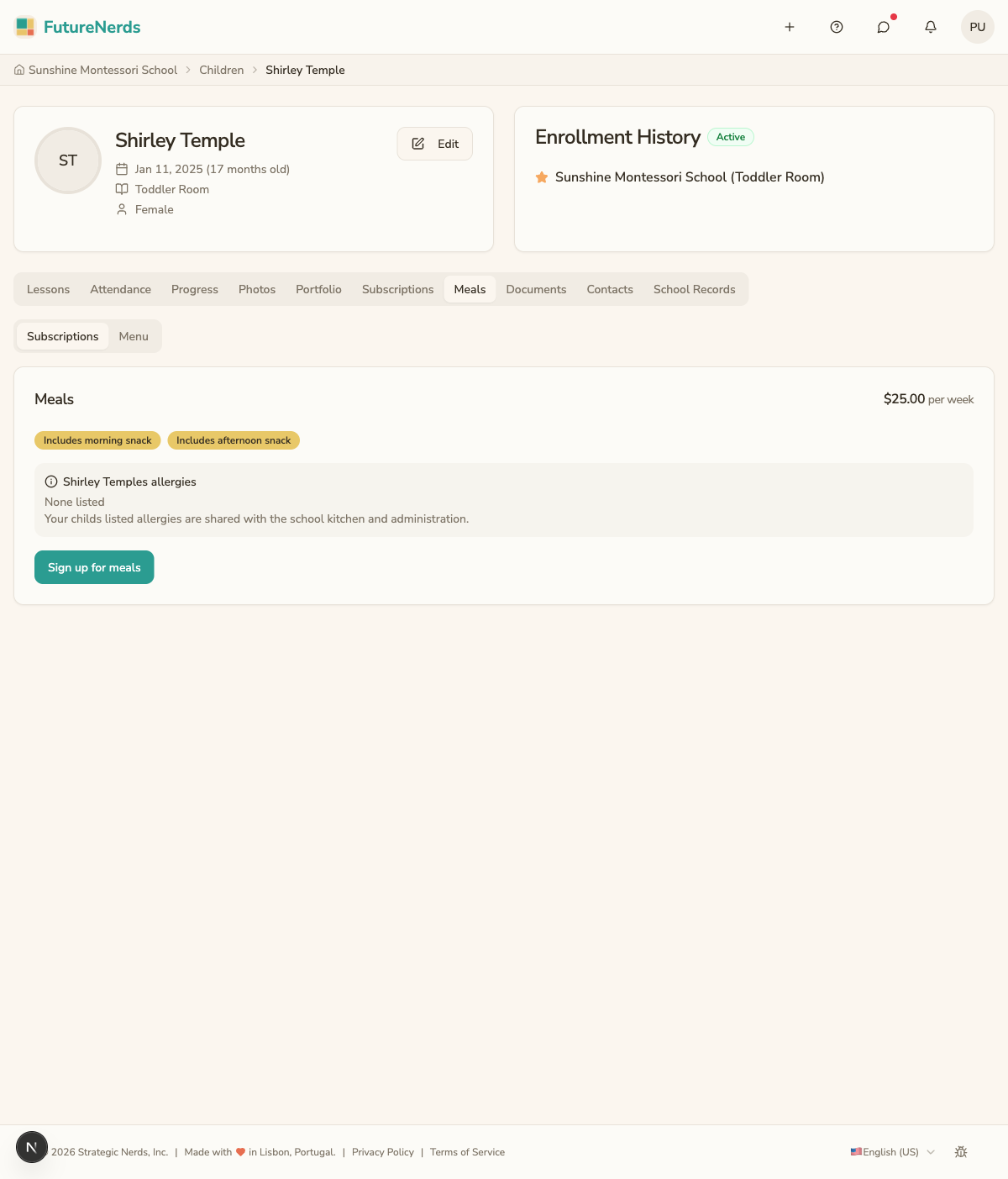
Open your child's profile, then Family, and scroll to Meals. Meals on the child's card on Today opens the same section. Meals has two tabs: Subscriptions and Menu.
Subscriptions
Subscriptions shows the price, whether your child is signed up, whether snacks are included, and your child's allergies.
- Click Sign up for meals to start.
- Click Cancel meals to stop.
- On a weekly plan, use Skip weeks (vacations) to skip any of the next six weeks.
Menu
Menu shows the menu the school uploaded.
If the classroom has no meals, the section reads "Meals are not offered for this classroom yet."
Keep your child's allergies and medical notes current on School Day, and message the school about dietary needs.
Was This Helpful?