Parent
School lifeAfter-school clubs
Sign a child up for a club, follow a request, and withdraw.
Last updated Oct 1, 2026
After-school clubs
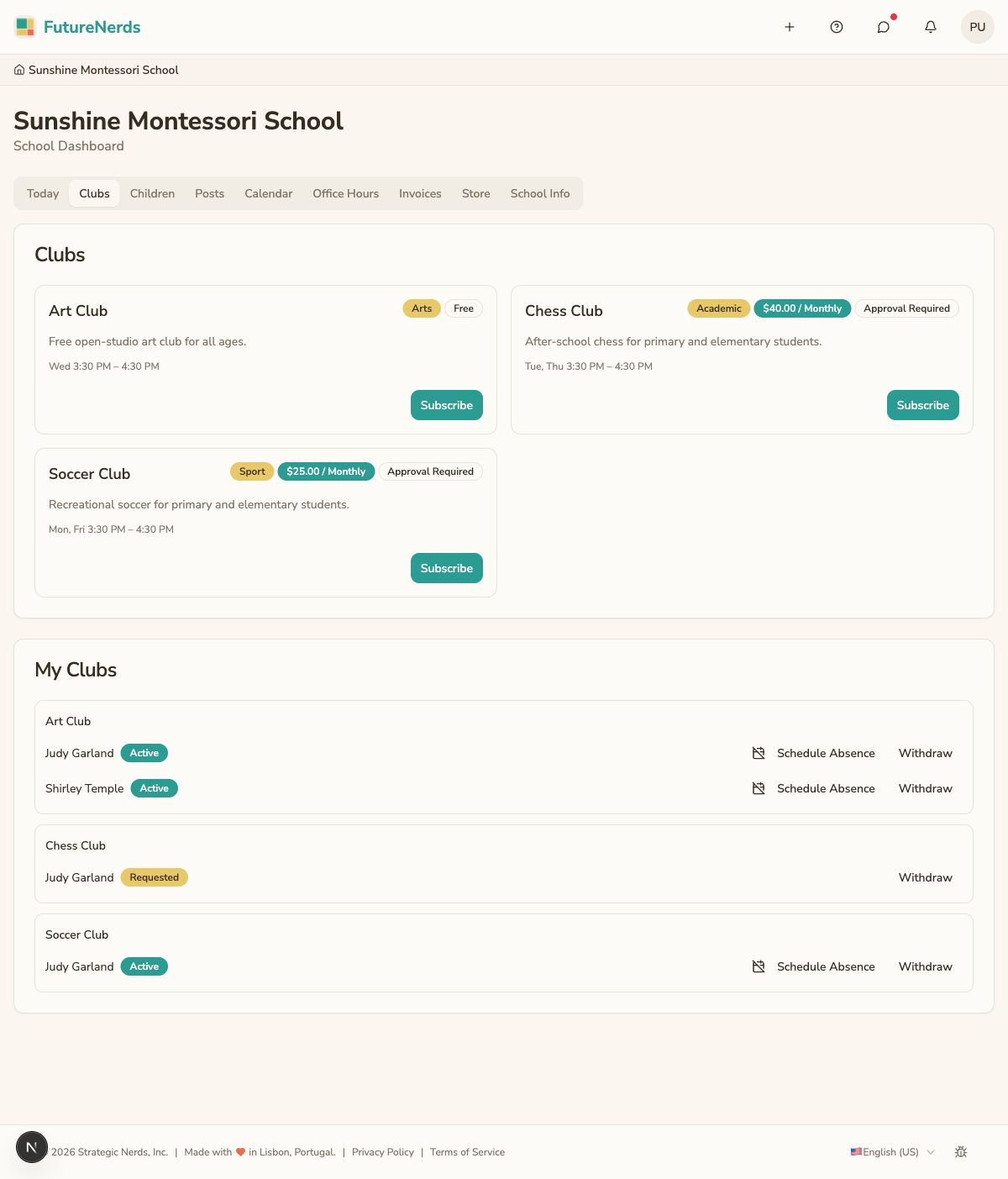
Clubs are on Rooms in the top bar. Pick your child, then scroll to Clubs and Available Clubs.
Signing up
- Under Available Clubs, click Sign Up on a club. A club that needs the school's approval shows Apply.
- In Join the club, check your child.
- For a paid club, review Fee and First Charge, then check I agree to be invoiced for this club fee.
- Click Sign Up or Apply.
Club fees appear on your invoices on Billing.
Status
- Enrolled -- your child has a spot.
- Requested -- the school has not approved the request yet.
Withdrawing
- Click Withdraw Enrollment on the club card, or Withdraw Request for a request still waiting.
- Confirm in the dialog. Click Stay in the club to keep the spot.
Your child stops attending and no further fees are charged. A fee already invoiced for this period still needs to be paid.
You can also withdraw from Billing, under Subscriptions and My clubs.
Missing a session
To tell a club your child will miss a day, report the absence and check Report absence to the following clubs. See Reporting an absence.
Was This Helpful?